
Connected sales. Supported service. Clearer decisions.
Mission Control

Mission Control.
Ask. Explore. Decide.

Use natural-language questions to explore operational data. Combine that perspective with live dashboards to decide where your attention belongs.
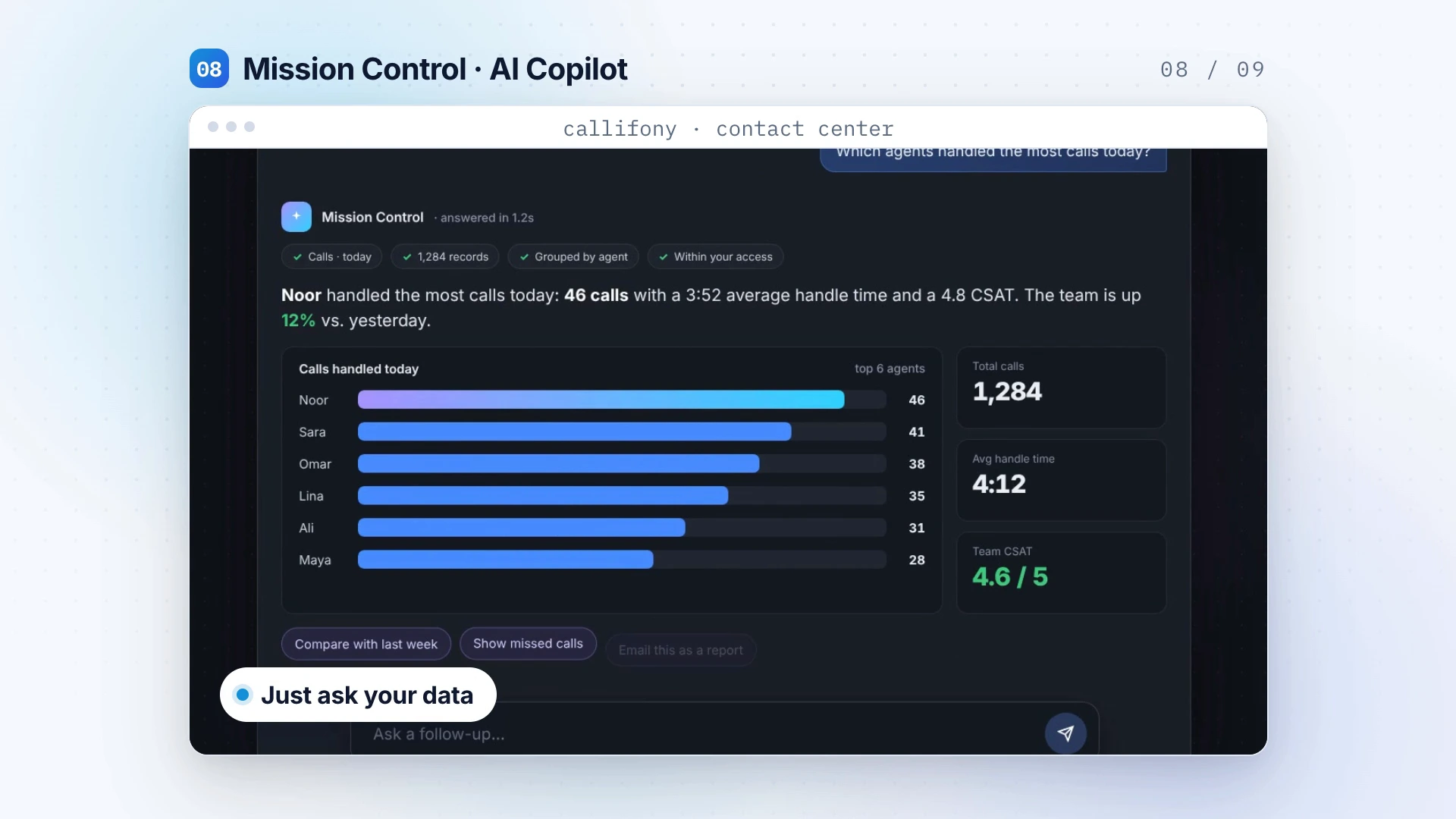
Mission Control — designed visualization extracted from the Callifony introduction
Feature visualization from the Callifony introduction. Sample data is illustrative.
Designed around your team

Make operational questions part of your daily rhythm.

Leaders need a clear place to start when reviewing activity. Mission Control lets you explore operational data through natural-language questions. Use the answers as a starting point, then review the underlying context before choosing your next action.

  • Natural-language operational questions
  • Live dashboards
  • A clearer starting point for decisions

From capability to everyday workflow.

Start with a clear need. Shape the workflow. Review the result with your team.

01

Choose the question

Focus on an operational area that needs attention in your daily or weekly review.

02

Explore the data

Ask a natural-language question and review the available operational information.

03

Agree the next step

Discuss the findings with the team and choose a practical follow-up.

Where it fits

Built into the work
your team does.

  • Daily operational reviews
  • Team performance discussions
  • Leaders exploring activity and priorities
Discuss your use case

Explore Callifony in this platform presentation. Your demo can focus on this capability and your specific requirements.

A practical use case

Use a question to start the operational discussion.

A team leader may need to understand where attention is required before a shift review. Mission Control supports exploring operational data through natural-language questions. Agree the time period and business meaning of the question, review the available information and discuss the result with the people who own the workflow. Treat the response as a starting point for a decision, not a substitute for context.

Illustrative workflow — not a customer case study.

A few useful questions.

Can the demo focus on our workflow?

Yes. Share your team size, current channels, calling setup and priorities so the walkthrough can focus on what matters to your operation.

What should we bring to the demo?

Bring your current process, team size, channels, CRM and the problem you want to solve. The team can discuss availability, configuration and integration scope for your requirements.

Connected to more of Callifony.

View all eight capabilities

Your next great customer experience starts here.

Let’s explore what a connected contact center can do for your team.

Book a demo

Cookie settings

No optional analytics or marketing trackers are configured. Essential login and security cookies are managed by WordPress.

Read the cookie policy