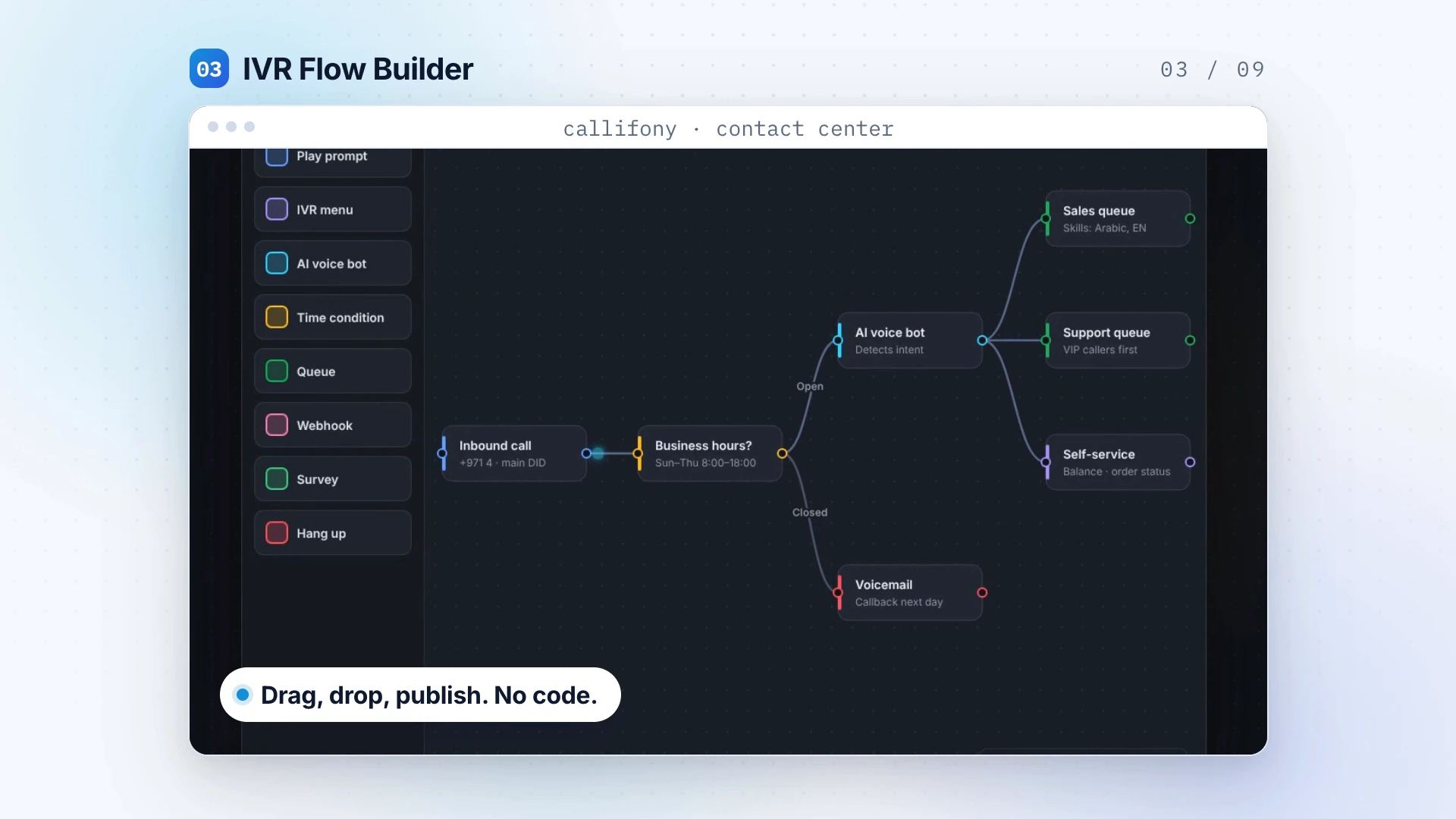
Feature visualization from the Callifony introduction. Sample data is illustrative. ↗
Designed around your team
A better customer journey starts with clearer steps.
Visual flow design helps your team map how an enquiry should progress. Combine the flow builder with skill-based routing to organize the path toward the right people, and review the points where a customer may need a different route.
Explore Callifony in this platform presentation. Your demo can focus on this capability and your specific requirements.
A practical use case
Design the handoff before adding more steps.
An enquiry may need sales, technical support or an existing account contact. Begin by mapping those paths and identifying the skills needed at each point. A visual flow should make decisions easier to understand, including the route for an enquiry that does not fit the usual pattern. Walk through the design with the people who will handle the interaction.
Illustrative workflow — not a customer case study.
A few useful questions.
Can the demo focus on our workflow?
Yes. Share your team size, current channels, calling setup and priorities so the walkthrough can focus on what matters to your operation.
What should we bring to the demo?
Bring your current process, team size, channels, CRM and the problem you want to solve. The team can discuss availability, configuration and integration scope for your requirements.