Connected sales. Supported service. Clearer decisions.
Dashboards & Forecasting

Contact center dashboards.
See what needs attention.

Bring live operational visibility and forecasting into the way your contact center reviews activity, allocates attention and plans for demand.

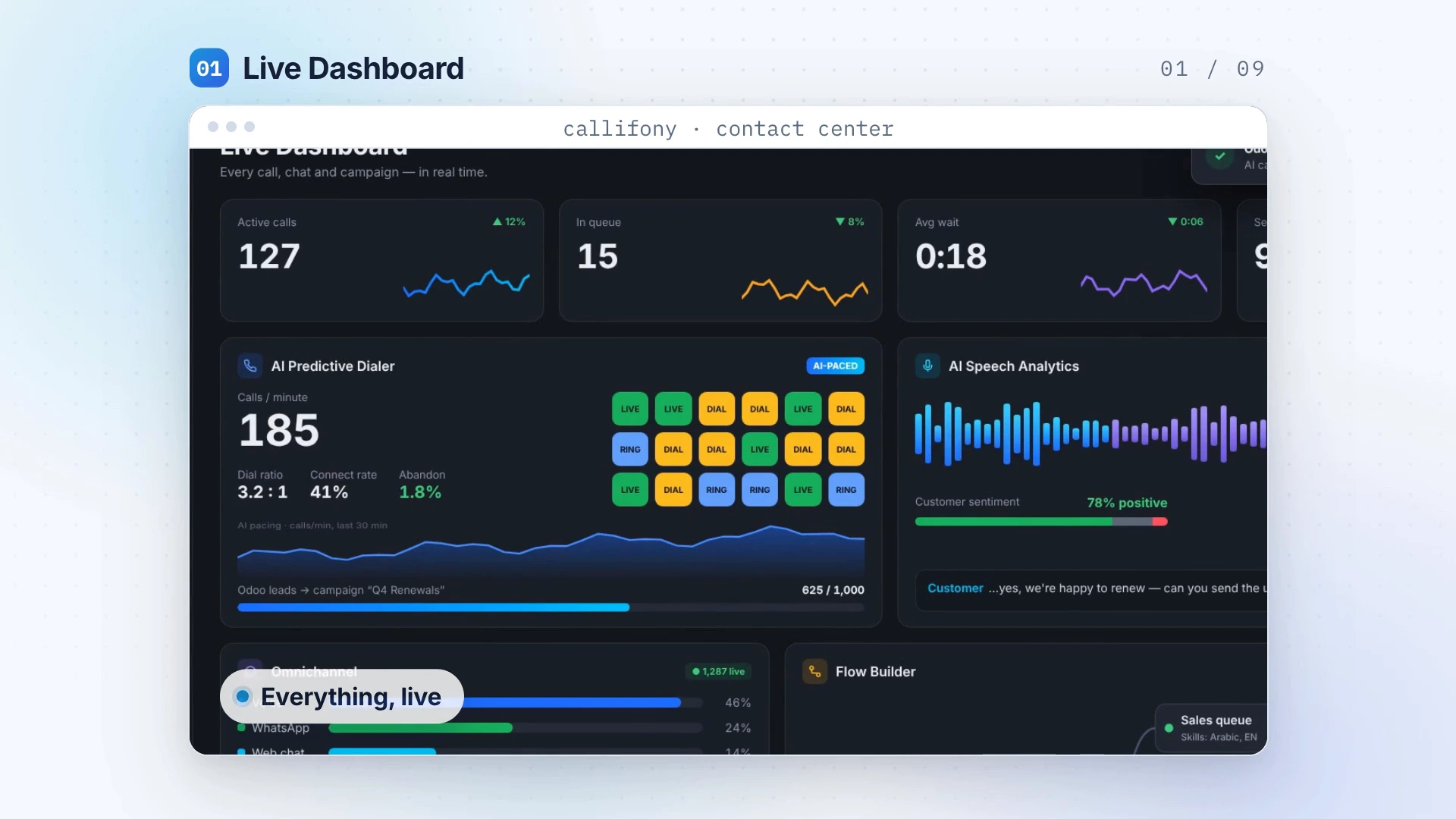
Live Dashboard — designed visualization extracted from the Callifony introduction
Feature visualization from the Callifony introduction. Sample data is illustrative.
Designed around your team

Keep a shared view of activity. Plan with more context.

Live dashboards support day-to-day awareness, while reporting helps teams review performance over time. Bring forecasting into your planning discussions and connect what you see with what customers and agents are experiencing.

  • Live views of operational activity
  • Performance reporting for team reviews
  • Forecasting to support planning

From capability to everyday workflow.

Start with a clear need. Shape the workflow. Review the result with your team.

01

Define useful measures

Agree the operational measures that matter to your team and how each should be interpreted.

02

Review activity together

Use dashboards and reports to create a consistent view for daily and weekly discussions.

03

Bring planning into focus

Discuss forecasting requirements and use the available information to support staffing and workload planning.

Where it fits

Built into the work
your team does.

  • Contact-center leadership reviews
  • Day-to-day operational monitoring
  • Planning conversations around demand
Discuss your use case

Explore Callifony in this platform presentation. Your demo can focus on this capability and your specific requirements.

A practical use case

A useful dashboard leads to a useful conversation.

Start with the service result you want to understand. Waiting, unanswered contacts, repeat enquiries and customer feedback can tell different parts of the story. Agree definitions with the team and compare like-for-like periods. Bring forecasting requirements into planning discussions, alongside staffing, channel mix and known changes in demand. Avoid treating one number as a complete picture of service quality.

Illustrative workflow — not a customer case study.

A few useful questions.

What should we track first?

Start with the service outcome you want to improve. Define the metric consistently and establish a baseline before comparing performance.

What should we bring to the demo?

Bring your current process, team size, channels, CRM and the problem you want to solve. The team can discuss availability, configuration and integration scope for your requirements.

Connected to more of Callifony.

View all eight capabilities

Your next great customer experience starts here.

Let’s explore what a connected contact center can do for your team.

Book a demo

Cookie settings

No optional analytics or marketing trackers are configured. Essential login and security cookies are managed by WordPress.

Read the cookie policy